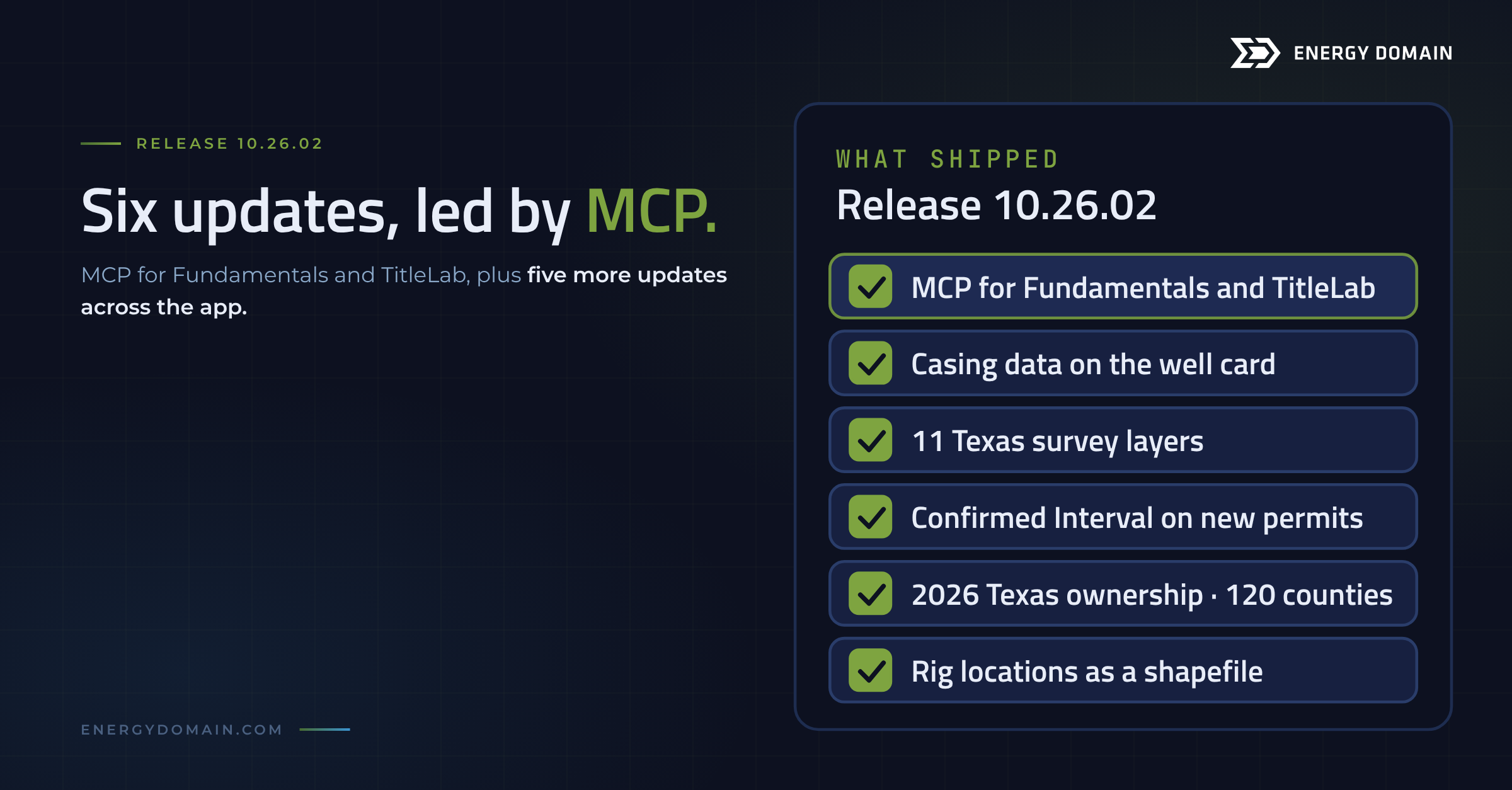
Release 10.26.02: MCP for Fundamentals and TitleLab, casing data, 11 Texas survey layers, Confirmed Interval on new horizontal permits, 2026 Texas ownership, and rig shapefile exports.
Most questions about a well, a tract or a county start the same way: open the app, set the filters, export, and rebuild the answer in a spreadsheet. As of this release, you can ask the question instead. MCP is live for both Fundamentals and TitleLab, so Claude, or the AI model of your choice, answers against the exact same data that sits in the app.
The release also puts casing data on the well card, takes the Texas map from 3 land grid outlines to 11 survey layers, assigns a Confirmed Interval to new horizontal permits before the directional survey is filed, brings 120 counties of 2026 Texas ownership live, and exports rig locations as a shapefile. Here's what each one does and who it's for.
MCP is live for Fundamentals and TitleLab
We now have a fully supported MCP server for both products. Connect Claude, or your AI model of choice, and ask questions in plain English against the exact same data that sits in the app.
Connect one MCP and ask about wells or courthouse records. Connect both and your AI cross-references them in a single conversation.
Fundamentals
- "Give me the top 10 operators with the most filed permits in 2026."
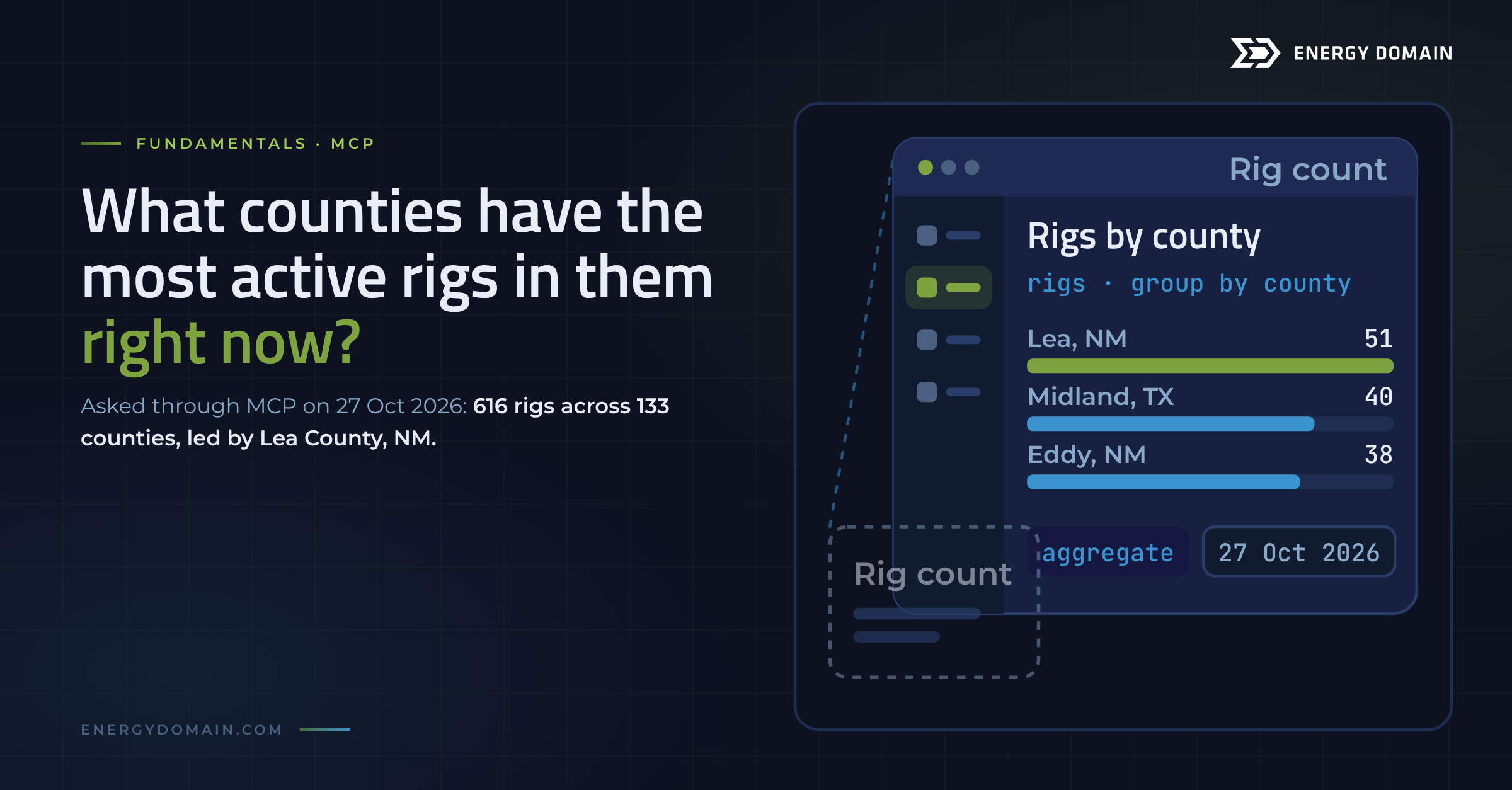
- "What counties have the most active rigs in them right now?"
TitleLab
- "Where has Diamondback been leasing in Midland County this year?"
- "Run Fasken as a party across all my counties — catch every Fasken entity, LP, LLC, or trust."
Both together
- "Who permitted the most wells in Reeves County this year, and what have they been leasing there?"
- "Find Exxon's newest spud in Martin County, then pull every instrument recorded on that section in the last two years."
We ran the rig question this week. The answer: 616 rigs across 133 counties, led by Lea County, NM (51), Midland County, TX (40) and Eddy County, NM (38). Every number traces back to records you can open: API numbers for wells, instrument numbers and recording dates for county records.
To connect, head to the new MCP setup page in the app, grab your connection details, and you'll be running in a couple of minutes. If it's not available to you, reach out to sales to get it added to your subscription.
Casing data is in the app
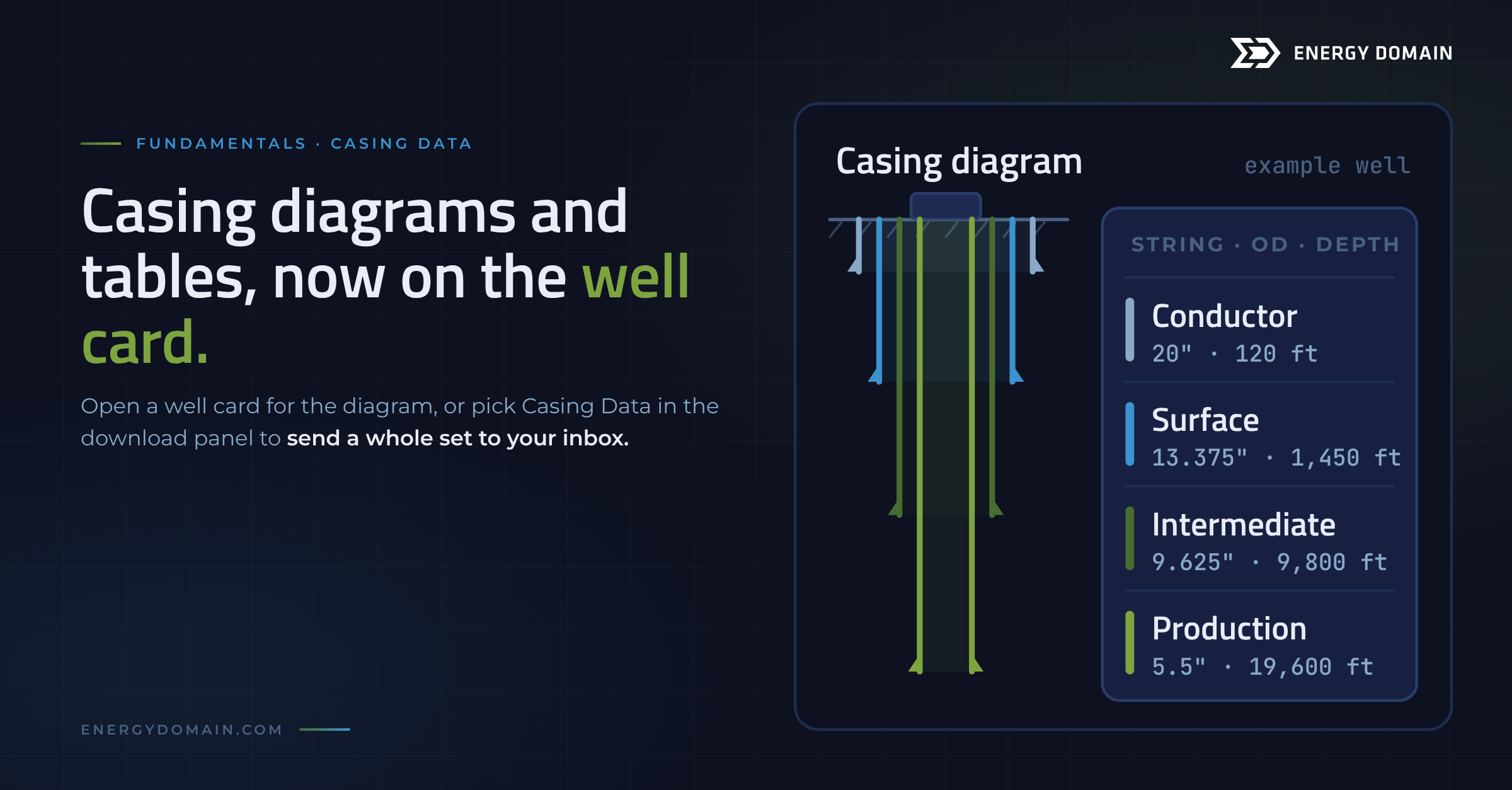
Casing data now sits on the well record, and there are two ways to get at it:
- One well: open a well card and you'll see a casing diagram alongside the casing table.
- A whole set: select your wells, open the download panel, pick Casing Data, and we'll send the full set straight to your inbox, just like the other downloads.
The diagram is for the quick read: a drilling engineer checking how the offsets around the next pad were built, or a production engineer looking at a candidate for a recompletion. The download is for the bigger job, like pulling casing on every well in an acquisition package before you price the plugging exposure.
Texas map layers: from 3 outlines to 11 survey layers
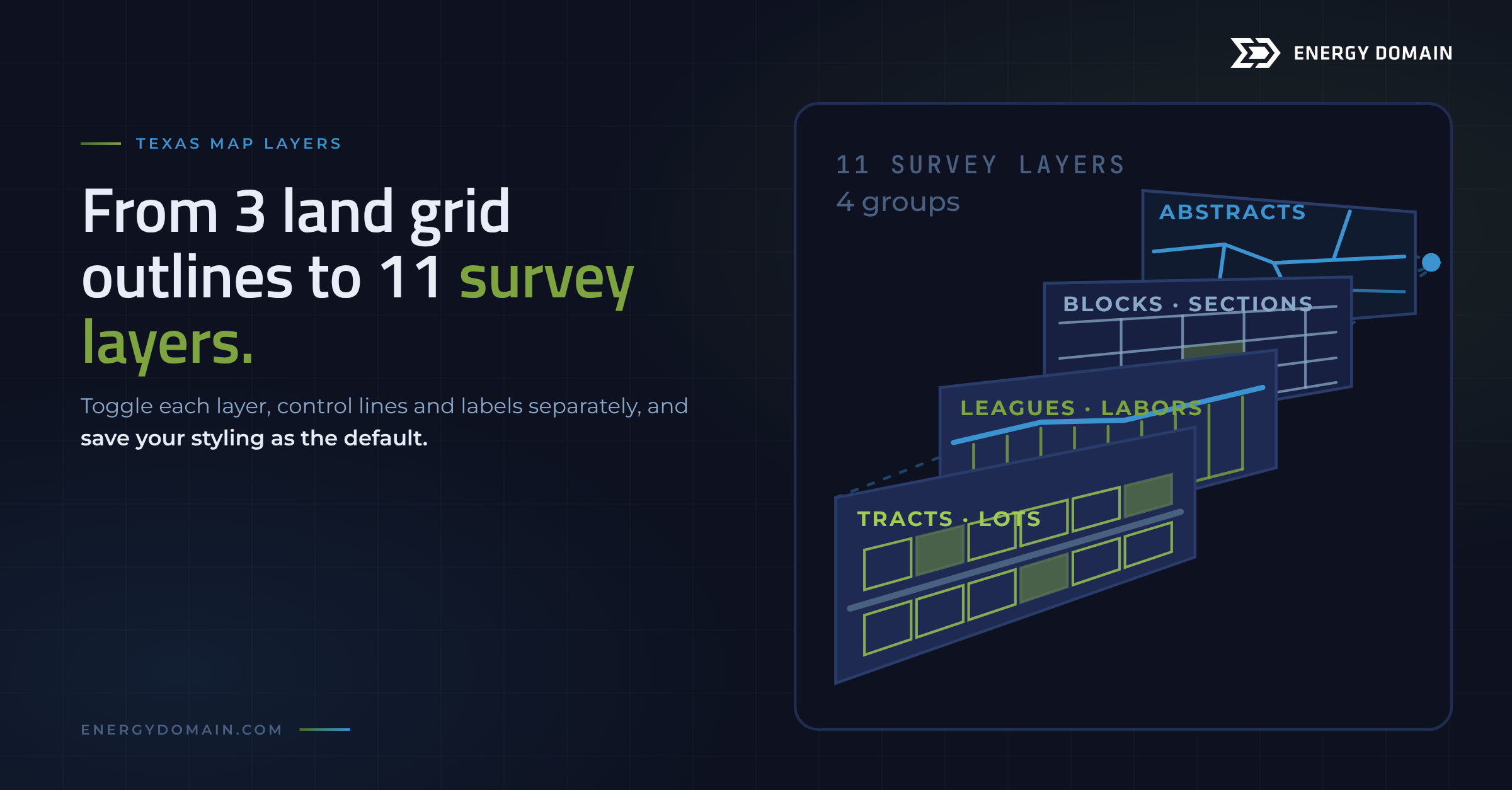
Texas land isn't described one way. A legal description in one county cites an abstract, the next cites a block and section, and a third cites a league and labor. The map now carries those systems as 11 distinct survey layers, up from 3 land grid outlines, grouped four ways:
- Abstracts & Survey Boundaries
- Blocks / Sections / Townships
- Leagues / Labors / Jr-Sr Surveys
- Tracts / Lots / Rural Subdivisions
Every layer toggles on and off independently, and lines and labels are controlled separately. Set your own colors, line weights and label sizes, then save it all as your default. A landman matching a lease description to the ground can turn on abstracts and leagues and nothing else; an engineer laying out laterals can keep just blocks and sections. Head to the Map Settings panel to set it up.
Confirmed Interval now covers new horizontal permits
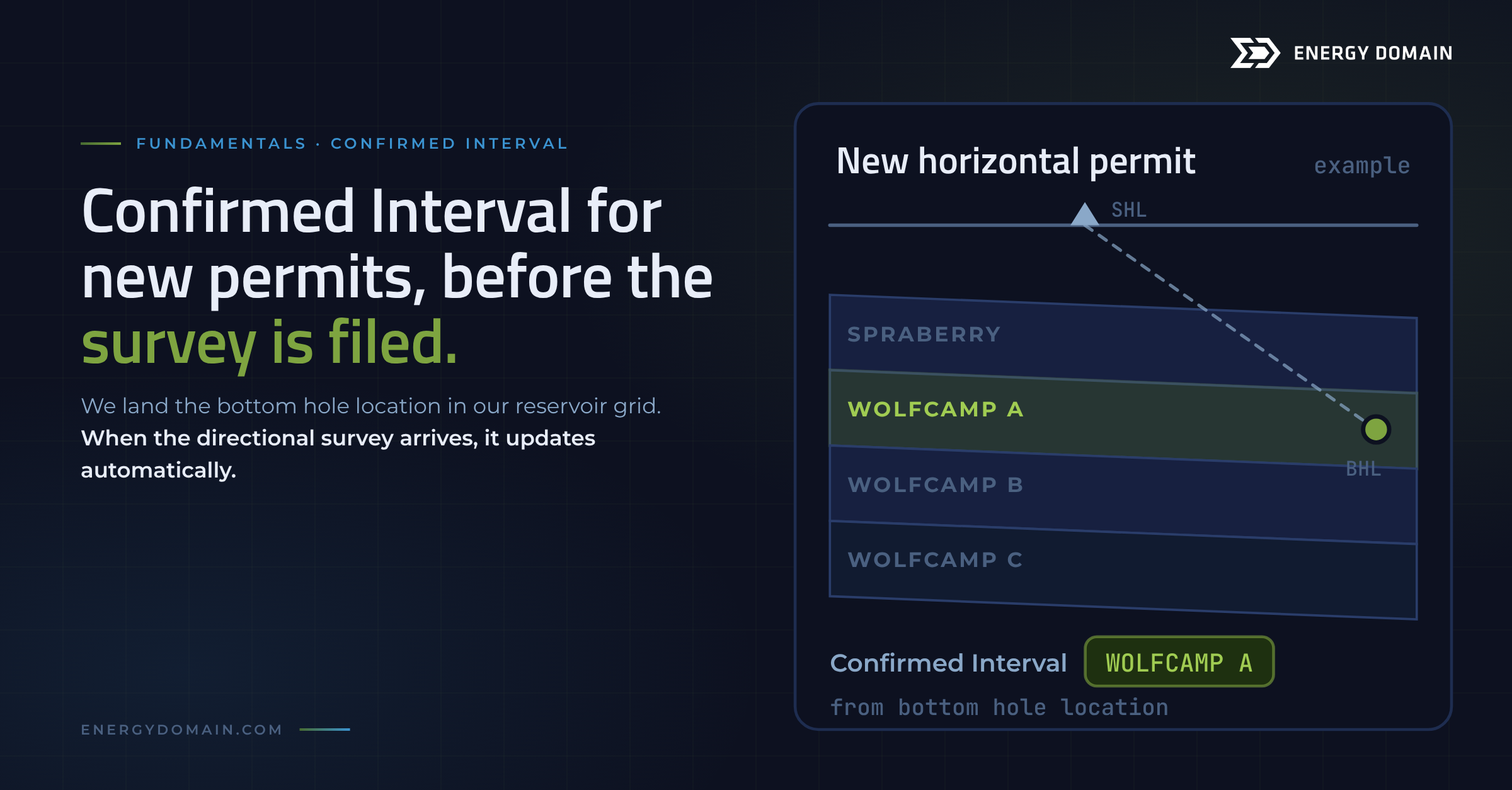
Confirmed Interval Expansion is done. Until now, a horizontal well needed a directional survey on file before we could tell you which interval its lateral sits in. New permits don't have one yet, so the best available label was the reservoir from the regulatory filing, which often names a field rather than a bench. A permit in the Spraberry (Trend Area) field doesn't tell you which landing zone the operator is going after.
Now, for horizontal wells without a directional survey, we take the bottom hole location and land it in our reservoir grid to assign a Confirmed Interval rather than waiting. When the directional survey hits our system, the full process takes effect and the interval updates automatically.
For a geologist, that means a competitor's test of a new zone shows up at the permit, not after the well comes online. For an A&D analyst, it means a seller's permitted inventory can be sorted by bench before a single survey is filed.
The first batch of 2026 Texas ownership is here
120 counties of 2026 Texas ownership are processed and live, with more rolling out over time and as customers ask for them. The data comes from the county appraisal-district mineral rolls: each record is one owner's taxable interest in a lease, with the interest type, decimal interest, appraised value and the wells matched to that lease. Midland County's 2026 roll alone carries more than 437,000 of those owner interests.
That's the list a mineral buyer builds an offer campaign from, and the one an A&D analyst checks to see who sits under a seller's leases. Through MCP you can rank the largest owners in a county, or filter by royalty, override or working interest, decimal and value.
One caution: an appraisal roll tells you who the county is taxing, not who holds record title. When you need the conveyances behind an owner, that's what TitleLab is for.
Don't see a county you need? Reach out and we'll get it in the queue.
Export rigs as a shapefile
Rig locations can now leave the app as a shapefile, so you can drop them into your GIS or any other mapping tool you're working in. Select Rigs in the download panel and you'll see a new Shapefile option right next to the data table.
If your team keeps its acreage, units and AOI outlines in a GIS project, the current rig picture now lands on the same map as everything else.
Start with one question
The fastest way to see what this release changes is to connect MCP and ask the question you'd otherwise build a spreadsheet for: the rigs around your AOI, the leasing in your county, the owners under a lease you're chasing. Open the MCP setup page in the app to get your connection details. If MCP isn't in your subscription yet, reach out to sales to get it added.
