This release delivers our biggest map upgrade yet, plus a set of workflow improvements you asked for across TitleLab, AOI tools, and filtering.
Operation Grid Machine is complete
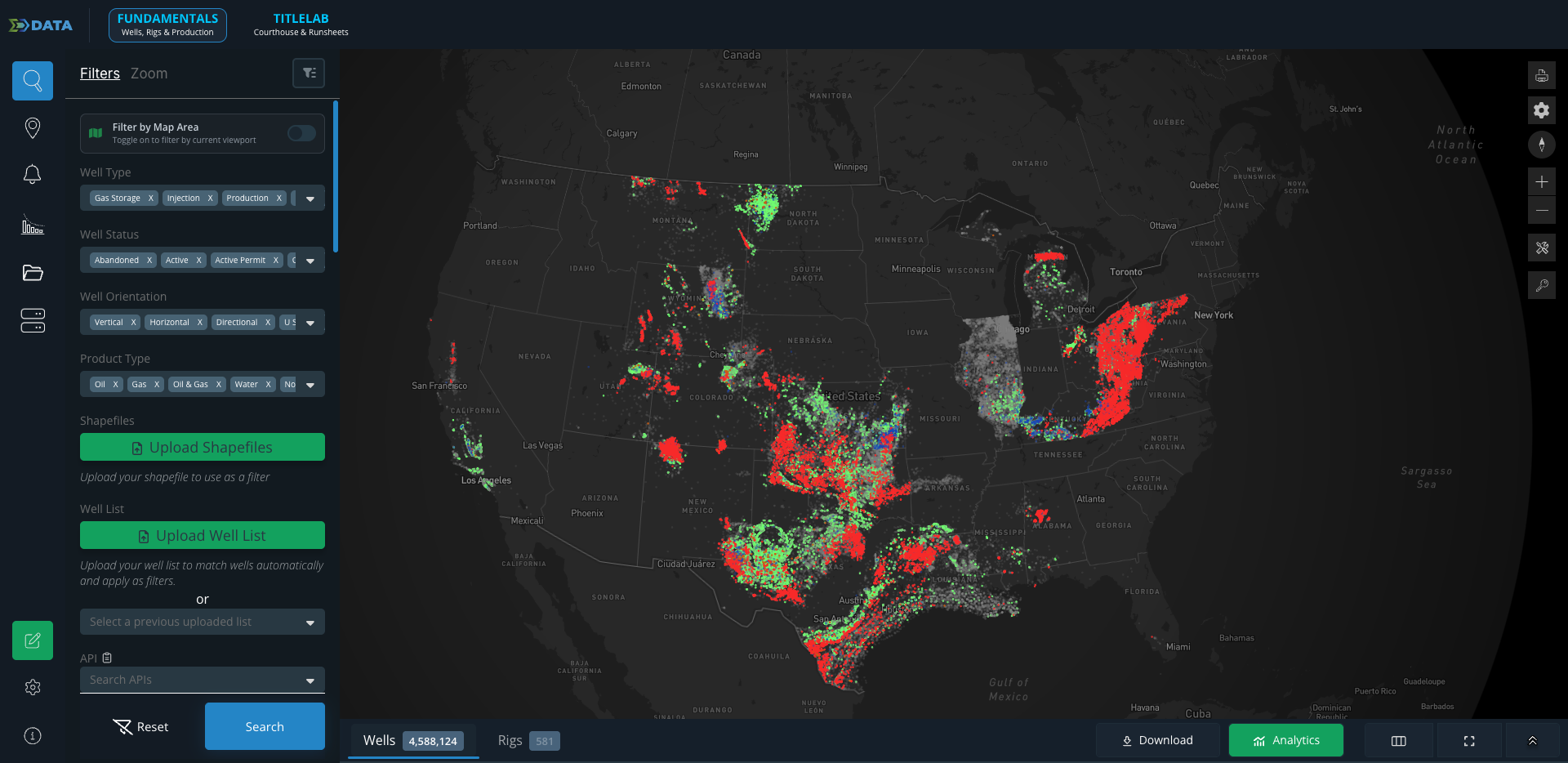
Two major changes come together here. First, every well now loads on the map at every zoom level. There's no longer any need for the grid at high zoom to maintain performance, so you get full well-level context wherever you are, including color-by attributes.
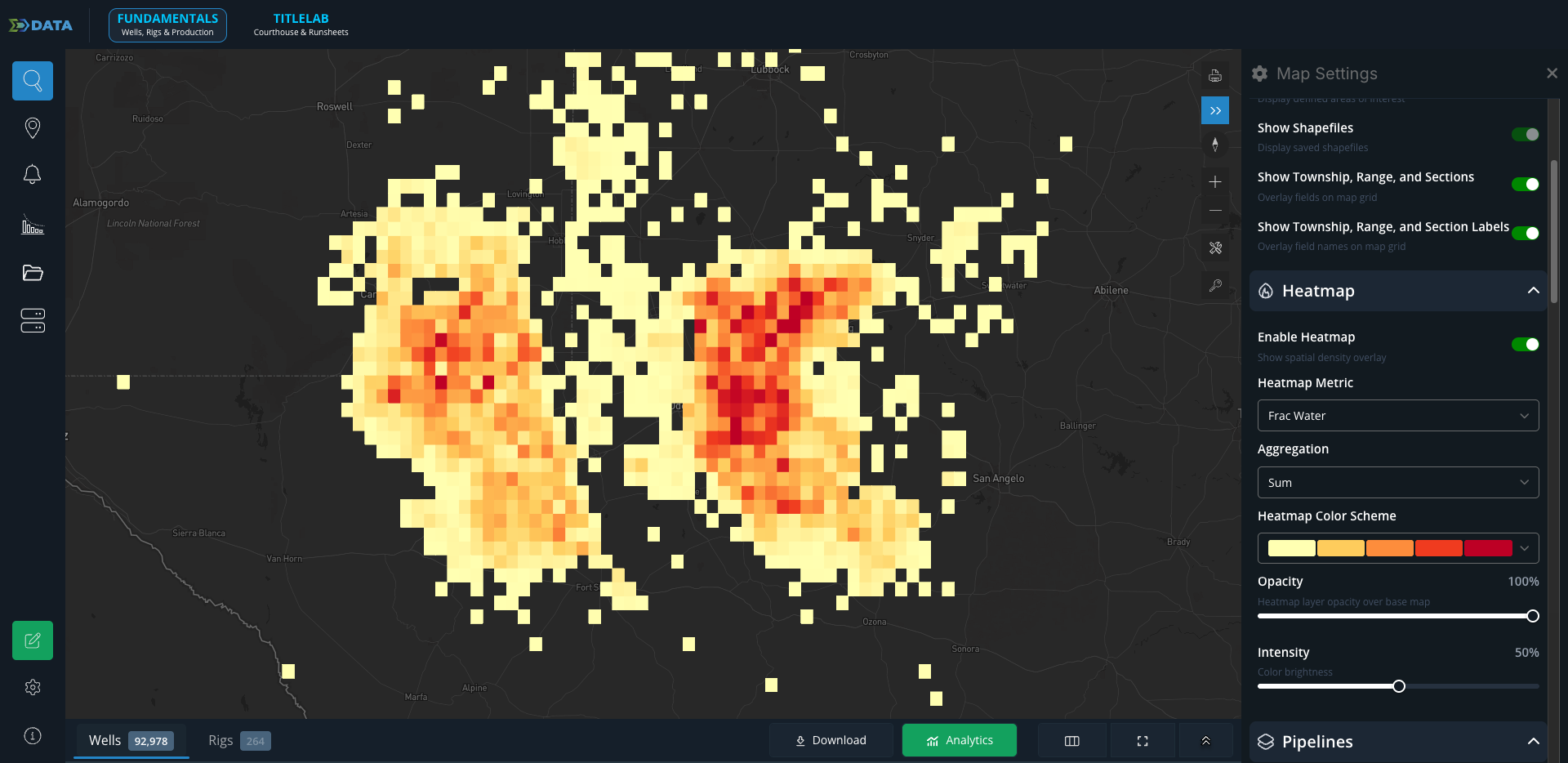
Second, the grid didn't disappear — it got better. We've moved it into the Map Settings page and the Map Key, and you can now customize it with more than 40 attributes, including Effective Lateral Length, First 3-Month Liquids, and Cumulative Gas, among many others. If you previously saved a map settings configuration as your default, we'll continue to honor it.
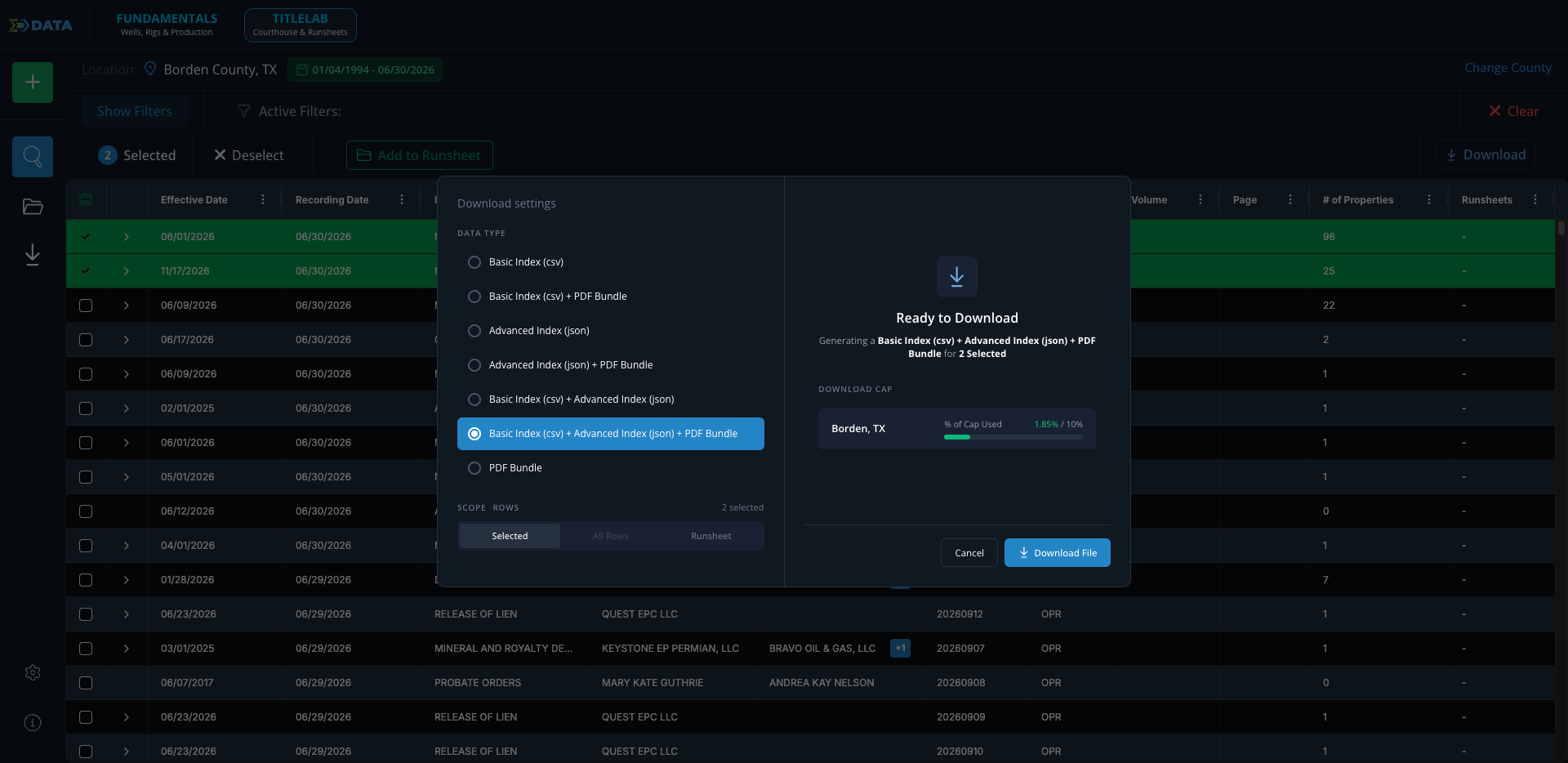
New download options in TitleLab
You can now choose between a Basic Index + Advanced Index, or the full package of Basic Index + Advanced Index + PDF Bundle. Pick the depth you need and pull everything in a single download instead of assembling it piece by piece.
Area measurement added to AOI drawing tools
Based on extensive customer feedback, we've added Area (in square miles) to the AOI drawing tools, so you can see exactly how large your area is as you draw. That measurement also stays visible in the AOI popup.
API tiles are now dropdowns
APIs added through the Well List Uploader or pasted from your clipboard now behave like any other filter. Previously they dropped in as static tiles with no way to deselect individual entries. Now they open in a dropdown, so you can upload a list and cleanly deselect whichever wells you don't need.
